
Review and confirm actions
Check the destination, text, files and effect before changing a connected service.
Preparation and execution are separate
An assistant can prepare a reply, a handoff or another source action without performing it. The review shows what will happen. Read it before confirming the action.
Available actions depend on the task's source, the connected account and the current source state. A local task has no original conversation to reply to.
Prepare an action
- Open the correct task or identify it to your AI client by code.
- Ask it to read the current context and discover the actions available for that task.
- Describe the desired result and ask it to prepare a review.
For Seflo task S-123, prepare a reply to the original request.
Include the finished workbook. Show me the recipient, message,
attachments and completion effect before sending.
Check the review
| Check | What to verify |
|---|---|
| Source and account | The intended mailbox, workspace or CRM identity. |
| Destination | The original thread, ticket, record or recipient you meant. |
| Message | Correct facts, tone and no unresolved placeholders. |
| Files | The actual final attachments; download them when necessary. |
| Completion or handoff | Whether this changes a shared source status or owner as well as your Seflo task. |
Edit the draft or ask for corrections. If the AI client cannot display the review, open the Seflo link it returns and sign in with the same account.
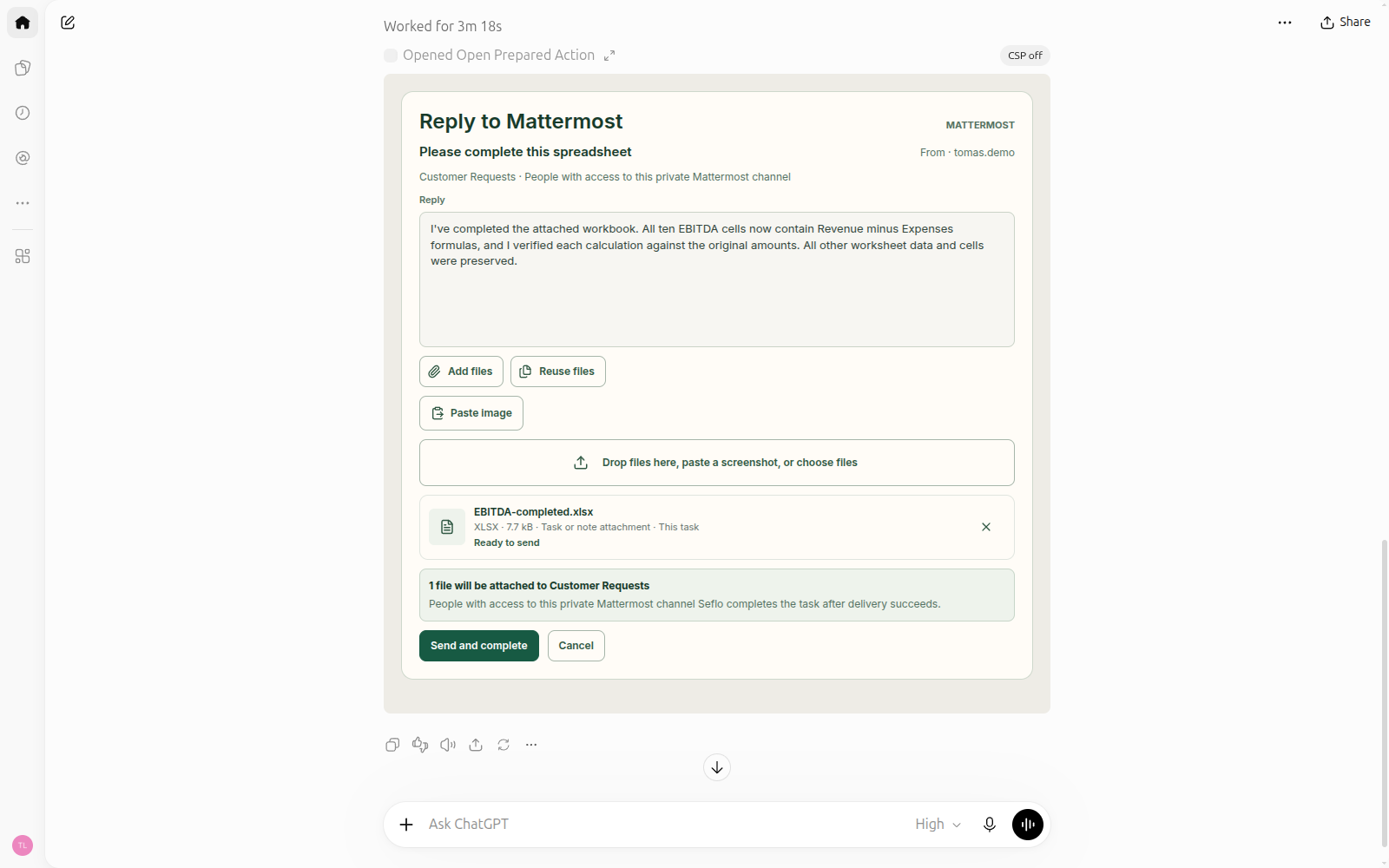
The review identifies the connected sender, destination and attached workbook. Sending happens only after confirmation. Open full-size image.
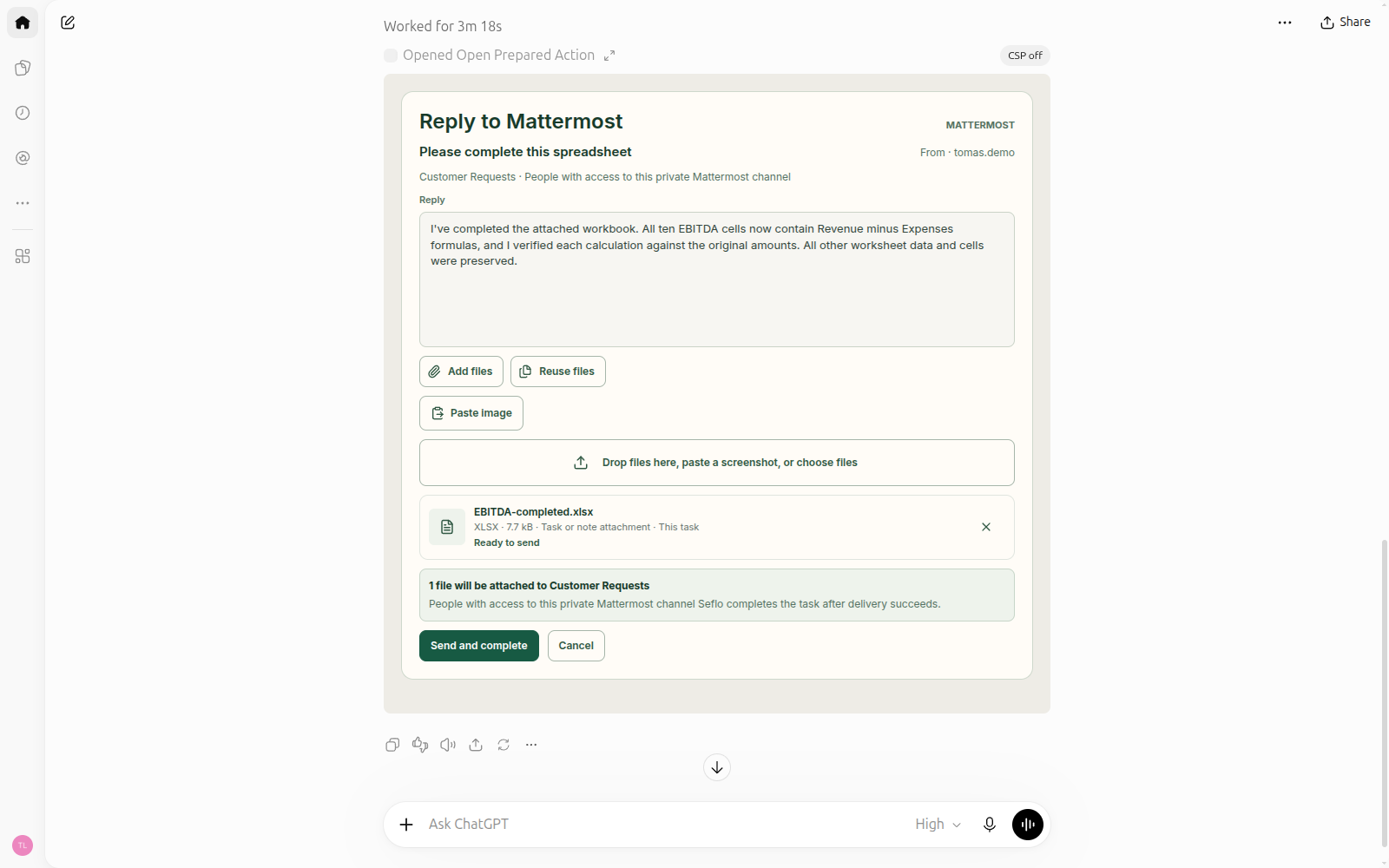
Confirm and verify
Choose the displayed confirmation action when you are ready. Wait for the result, then check the source conversation and the task stage. Done describes work completion; it is not proof that a message was sent. Use the operation result and source conversation to verify delivery.
Some actions complete work without a customer message; others reply, hand off ownership or change a shared workflow. Read the effect rather than assuming every connector behaves the same way.
If the action does not finish
- Context changed: refresh the review and check the latest source messages before confirming again.
- Connection or access problem: reconnect the intended account or restore access to the source, then reopen the review.
- Still running or uncertain result: inspect the existing operation and source conversation first. Do not start a second send simply because the first result is delayed.
- Action unavailable: read the explanation and choose an action supported by that task's source.